
Delete an Earn Rule Group
The platform will not allow you to delete an Earn Rule Group if it has any Earn Rules assigned to it. Before deleting an Earn Rule Group, you must first reassign its Earn Rules to other Earn Rule Groups. See Edit Earn Rule Properties for more information on this process.
To delete an empty Earn Rule Group:
-
Select Rules from the top navigation bar, then select Settings > Earn Rule Settings from the side navigation menu. The Earn Rule Settings screen is displayed.
-
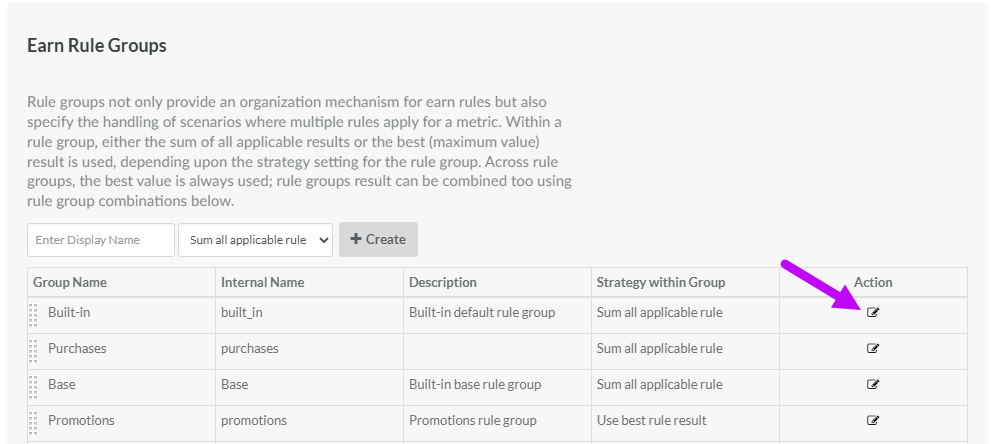
Within the Earn Rule Groups section of the screen, the platform displays a table of all the existing Earn Rule Groups, showing their Display Name, Internal Name, description, and strategy. In the Action column of the desired Earn Rule Group, click the Edit icon. The Rules Group pop-up window is displayed.
-
Click Delete. A confirmation dialog box is displayed; click Confirm.
